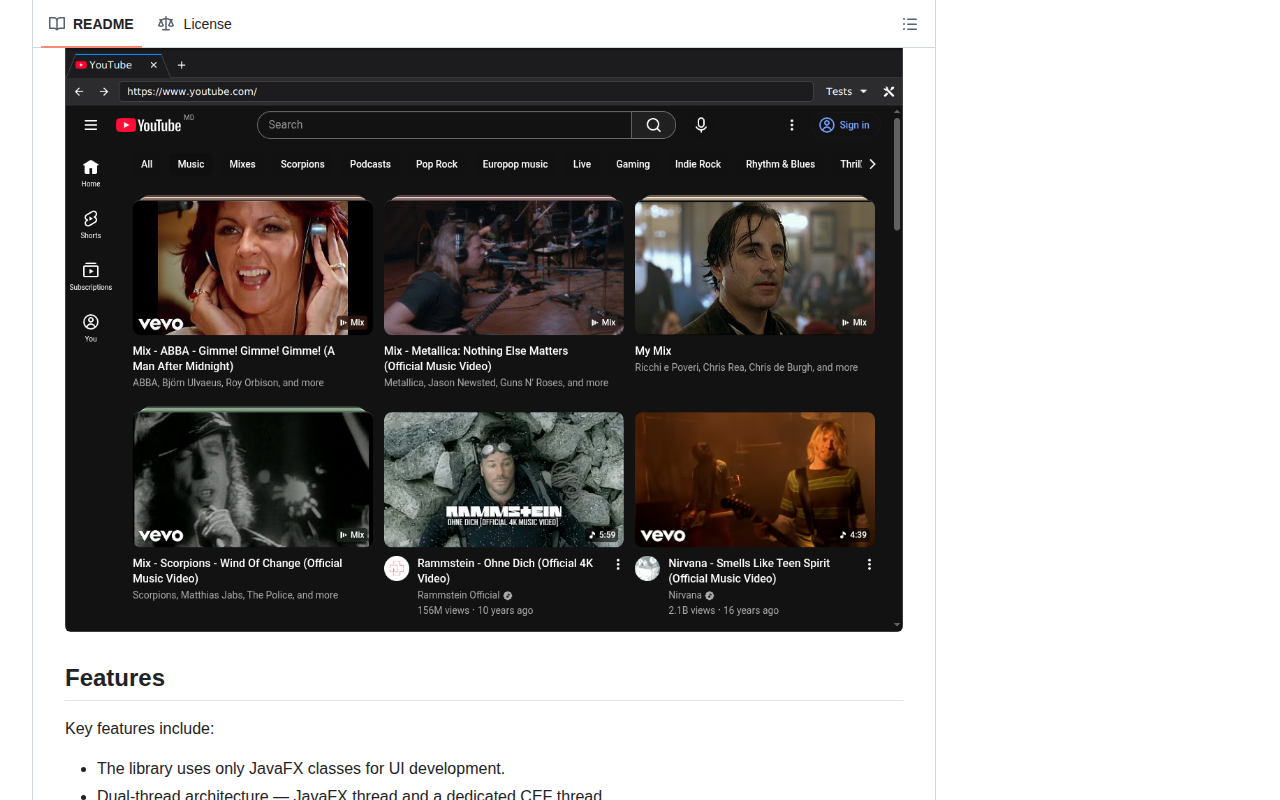
Techsenger CEFFX embeds the Chromium Embedded Framework (CEF) in JavaFX applications, providing a JavaFX-native alternative to the Swing-oriented JCEF. It is a port of JCEF that supports off-screen rendering, custom rendering, and most Java CEF features, with prebuilt native libraries for Linux, Windows, and macOS. Its dual-thread architecture keeps JavaFX work on the JavaFX Application Thread and CEF operations on a dedicated CEF thread; applications must schedule work on the correct thread. The project includes a browser demo and tools for deploying the platform-specific CEF and CEFFX native files. CEFFX is under active development and has no published release yet; Maven Central availability is planned, so users currently need to work with snapshot builds. Its modern Java and JavaFX requirements, native deployment, and platform-specific setup make it best suited to experienced JavaFX developers who need embedded Chromium content in a desktop application.
Code Example
                import com.techsenger.ceffx.core.CefApp;
                import com.techsenger.ceffx.core.CefBrowserSettings;
                import com.techsenger.ceffx.core.CefClient;
                import com.techsenger.ceffx.core.browser.CefBrowserFactory;
                import javafx.application.Platform;
                import javafx.scene.layout.Pane;

                // After native deployment and CEF initialization:
                Pane browserHost = new Pane();
                CefClient client = CefApp.getInstance().createClient();
                CefApp.runLater(() -> {
                    var browser = CefBrowserFactory.create(
                        client, "https://example.com", true, false, null, new CefBrowserSettings());
                    Platform.runLater(() -> browserHost.getChildren().add(browser.getPane()));
                });