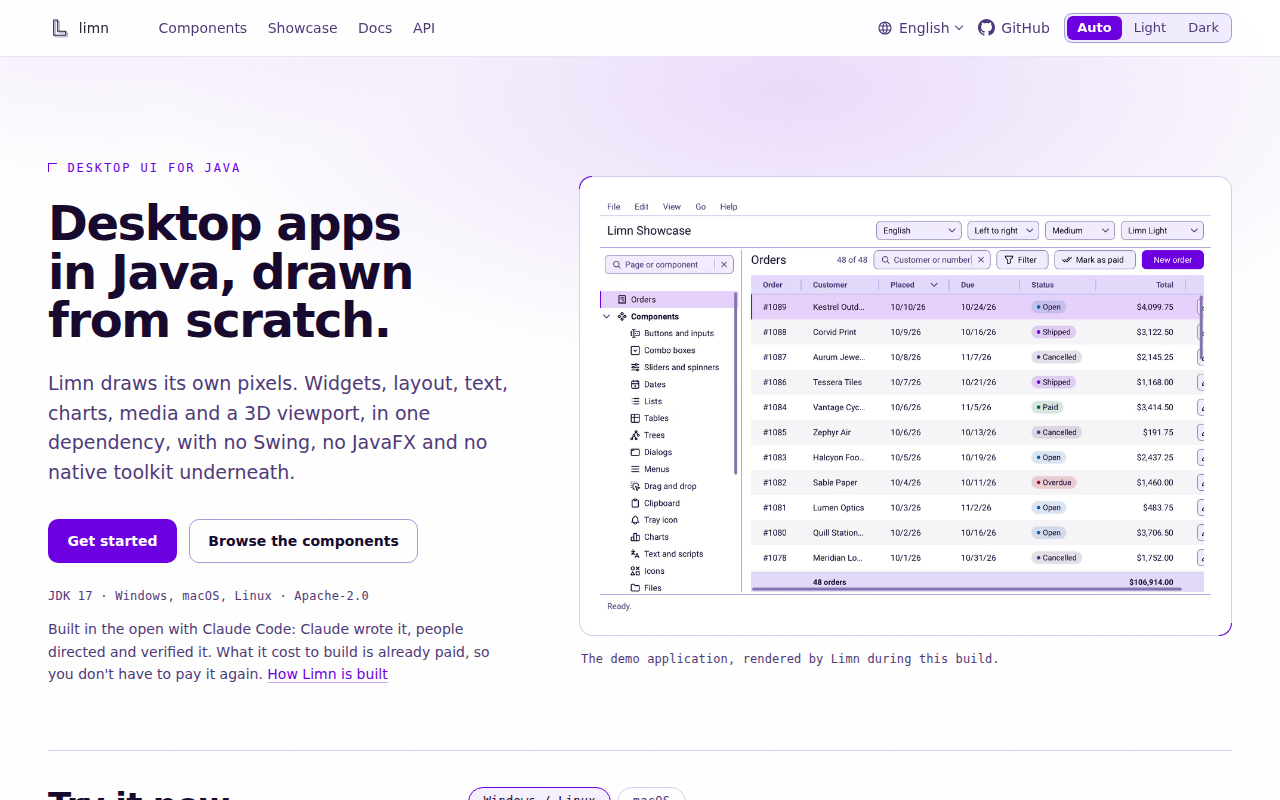
Limn is a Java toolkit for building desktop applications with a custom-rendered interface, without Swing, JavaFX, or a native widget toolkit. Its LWJGL backend draws windows and components using OpenGL, and its single dependency provides a broad set of controls, layout primitives, charts, media playback, and a 3D viewport. Applications are written in plain Java, with no markup language or annotation processor required. Limn also provides theming, international text shaping, screen-reader accessibility through each platform's native APIs, printing, and drag-and-drop across Windows, macOS, and Linux. The project is Apache-2.0 licensed and its first stable release is available from Maven Central. Its straightforward component API is approachable for Java developers, though the graphics backend has platform requirements: JDK 17 or newer and an OpenGL-capable system. Limn suits teams that want a fully Java-authored desktop UI with a consistent custom appearance and substantial built-in components.
Code Example
                import limn.backend.Backend;
                import limn.backend.NativeWindow;
                import limn.backend.WindowConfig;
                import limn.backend.lwjgl.LwjglBackend;
                import limn.components.Button;
                import limn.components.Label;
                import limn.scene.Insets;
                import limn.scene.Scene;
                import limn.scene.layout.Column;
                import limn.scene.layout.Padding;

                public class HelloLimn {
                    public static void main(String[] args) {
                        try (Backend backend = new LwjglBackend()) {
                            NativeWindow window = backend.createWindow(
                                WindowConfig.of("Hello, Limn", 480, 320));
                            Column content = new Column();
                            content.gap(12);
                            content.add(new Label("A window drawn by Limn."));
                            content.add(new Button("Close").onAction(window::requestClose));
                            new Scene(new Padding(Insets.all(24), content)).bind(window);
                            backend.runEventLoop();
                        }
                    }
                }